

gary
Lv. 5 Critique by REVIEWR AI
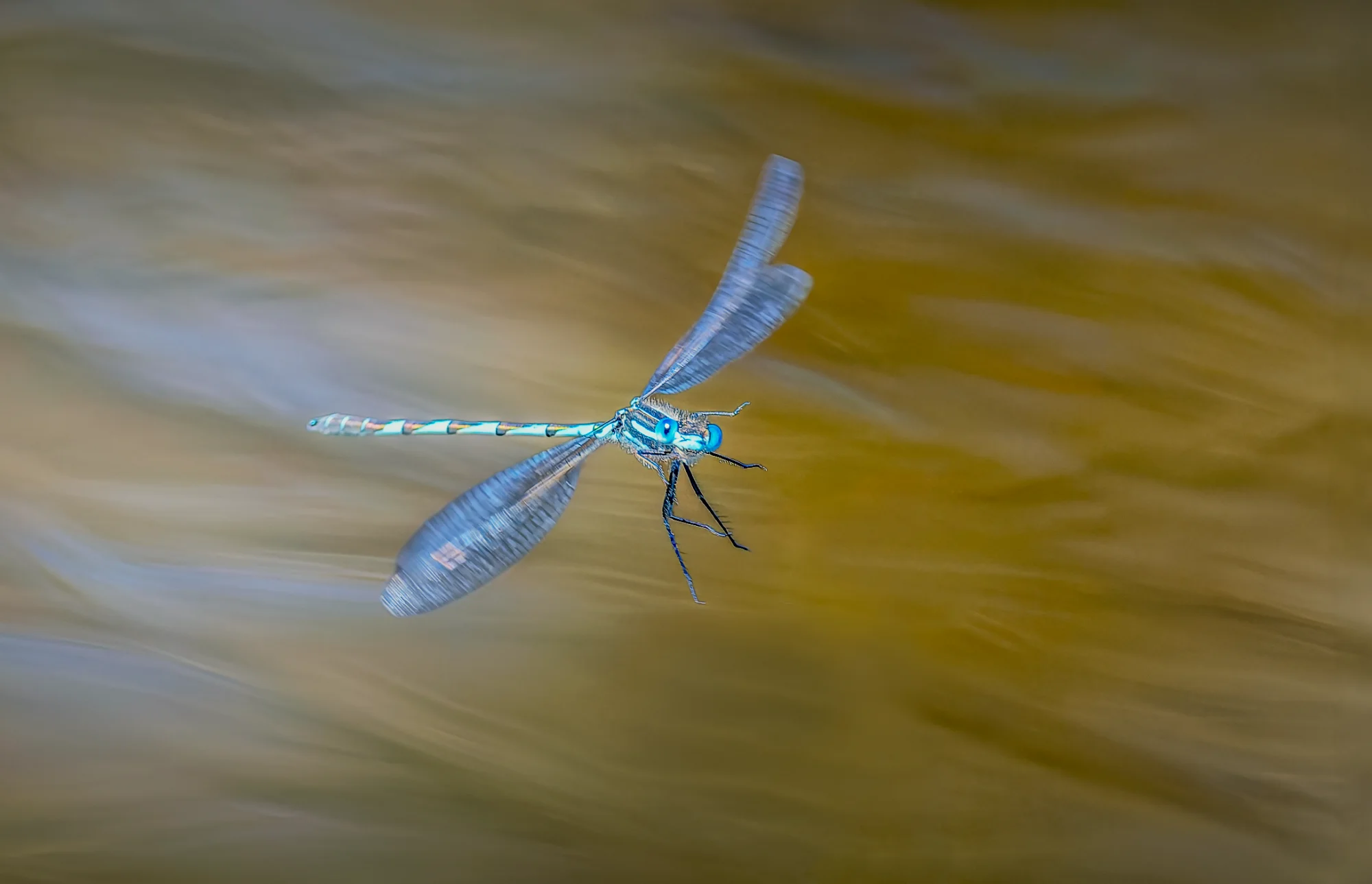
Hovering Over Gold
This is an ambitious capture of a notoriously difficult subject in flight, utilizing a beautiful complementary color palette. However, aggressive post-processing has introduced digital artifacts that hold the final image back from its full potential.
What's Working
- ✓The complementary color palette creates immediate visual impact.
- ✓The blurred, flowing background provides excellent environmental context without distracting from the subject.
- ✓Capturing the dragonfly in mid-air demonstrates significant patience and technical ambition.
Room to Grow
- Heavy noise reduction and over-sharpening have degraded the subject's fine details, giving it a 'crunchy' appearance.high
- Visible haloing around the dragonfly suggests aggressive masking or clarity adjustments.high
- The blue tones on the insect appear artificially saturated, losing natural subtlety.medium
Category Scores
✓ The diagonal flow of the background water creates a dynamic canvas.
→ The framing is slightly static; a tighter crop could emphasize the insect's scale and momentum.
✓ Even illumination ensures the entire subject is clearly visible against the background.
→ The light on the subject is flat, failing to describe the three-dimensional shape of the thorax and head.
✓ The blue and gold complementary pairing provides strong, immediate color contrast.
→ The saturation of the blues feels pushed to an unnatural, neon level.
✓ The image successfully conveys the delicate, hovering nature of the dragonfly.
→ The visible editing artifacts break the viewer's immersion in the natural scene.
✓ The 1/2500s shutter speed was well-chosen to freeze the body while retaining wing motion.
→ Severe over-sharpening and noise reduction have destroyed fine detail, giving the insect a 'crunchy' texture.
✓ Choosing flowing water as a backdrop elevates this from a standard macro shot to an environmental portrait.
→ The heavy-handed editing approach obscures the natural beauty of the capture.
Your Action Plan
Top Actions
- 1Re-edit the raw file with zero global sharpening and minimal noise reduction to see the true baseline.
- 2Reduce the saturation and luminance of the blue channel to restore a natural look to the dragonfly.
- 3Use a very soft, low-opacity brush if masking the subject to eliminate the halo effect.
Need some inspiration?
Your style reminds me of...
Levon Biss
While Biss shoots extreme macro in a studio, studying his work will show you the standard for preserving microscopic detail and natural color transitions without introducing digital artifacts.
Like what you see?