

kim
Lv. 3 · Critique by REVIEWR AI
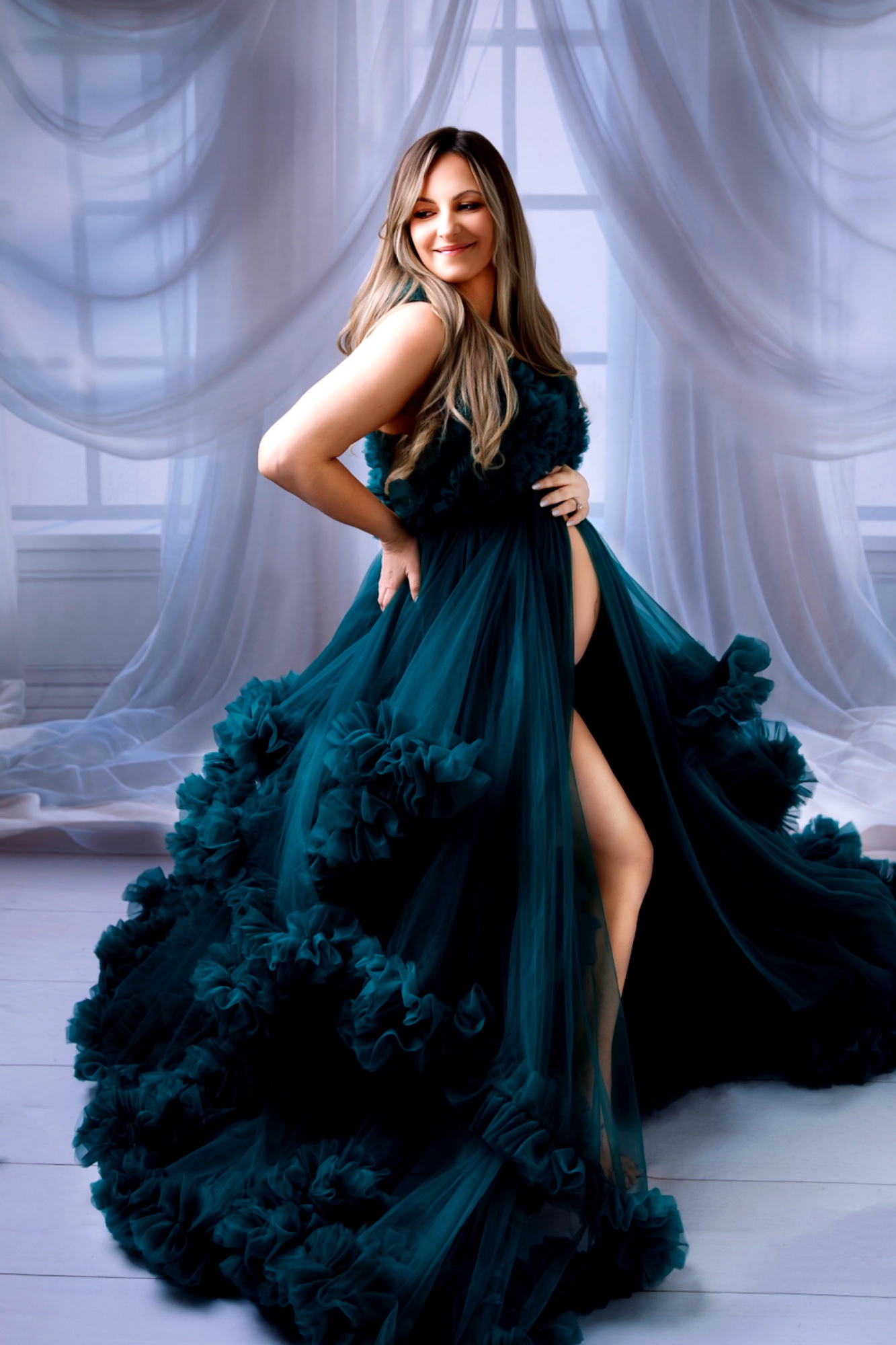
AI portrait photo critique — 4.6/10
This is a dramatic and celebratory maternity concept, anchored by a striking wardrobe choice.
What's working
- ✓The voluminous dress creates a strong, sweeping visual anchor.
- ✓The pose effectively highlights the maternity silhouette.
- ✓The deep teal color provides a rich focal point.
Room to grow
- Severe skin smoothing has removed natural texture, creating an artificial look.high
- Visible masking halos around the hair and arm distract from the subject.high
- The horizontal lines of the backdrop and floor are noticeably tilted.medium
- Skin tones are overly warm and clash with the cool background.medium
Category Scores
✓ The dress creates a solid, triangular base for the frame.
→ Tilted horizontal lines in the backdrop and floor immediately disrupt structural balance.
✓ The light catches the ruffles of the dress, emphasizing its volume.
→ Lighting on the face is flat and lacks dimensional sculpting.
✓ The deep teal of the dress is rich and well-saturated.
→ Skin tones lean heavily orange, creating a jarring contrast with the cool, magenta-tinted background.
✓ The image successfully conveys a sense of formal, elegant celebration.
→ Heavy retouching creates an uncanny valley effect, distancing the viewer from genuine human connection.
✓ The fabric of the dress retains sharp detail.
→ Aggressive skin smoothing has obliterated natural facial texture.
✓ The wardrobe choice adds immediate theatrical drama.
→ The execution relies entirely on the prop dress rather than a unique photographic vision.
Your Action Plan
TOP ACTIONS
- 1Reduce skin smoothing in post-production to restore natural texture.
- 2Refine masking around the subject to eliminate glowing halos.
- 3Use the crop/rotate tool to level the window sill in the background.
- 4Cool down the orange tones in the skin to better match the scene.
Need some inspiration?
Your style reminds me of...
Annie Leibovitz
Study her theatrical portrait work to see how highly produced, dramatic setups still retain realistic skin textures, motivated lighting, and a sense of genuine human presence.
Like what you see?